Is this month working?
Your surplus, savings rate, emergency fund and where each month goes.
For Australian property owners and investors
Enter your income, spending, super and properties once. NetPosition connects them: your monthly surplus, your tax, an estimate of what you could borrow, and when work could become optional. Then it shows what a purchase, or an extra $15k, would change. No bank connection.
Free plan, no card. 30 days of Expert included when you sign up.
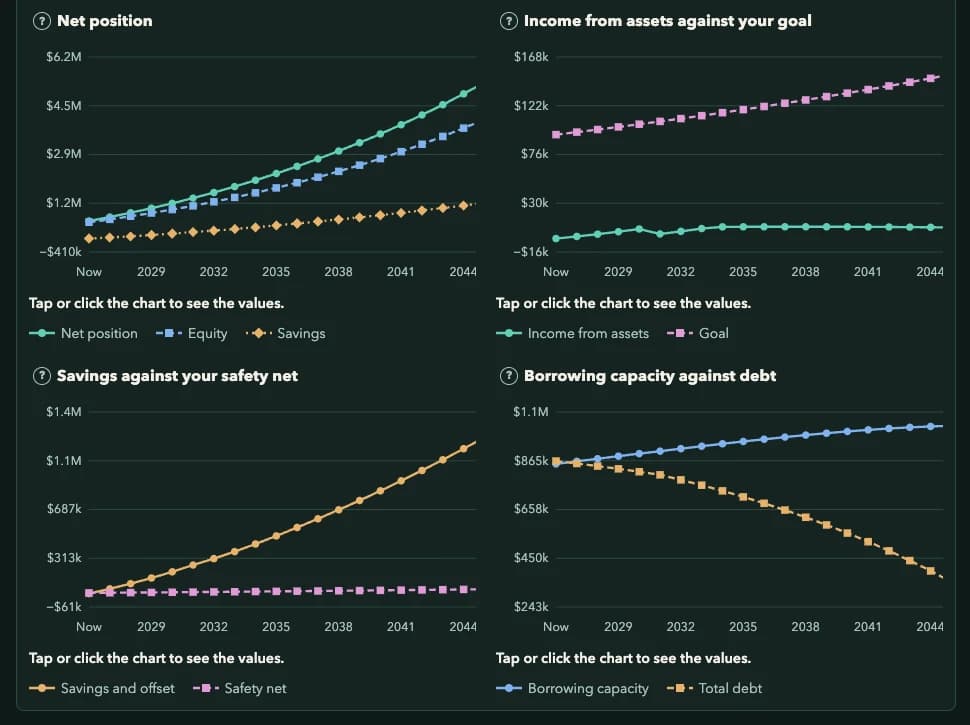
What it answers
Start with the basics Free
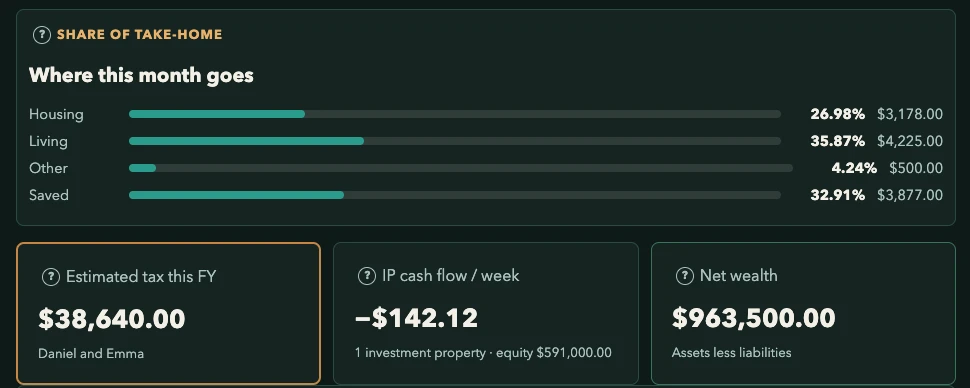
Your surplus, savings rate, emergency fund and where each month goes.
An Australian resident estimate for 2026–27, including Medicare levy and HELP repayments, worked out from your budget income.
Weekly cash flow after repayments, vacancy and costs, plus equity, LVR and what changes when interest-only ends. The Free plan covers one property.
Go deeper Expert
Roadmap: plan purchases, stress-test them, and see the effect on your income, your debt and your borrowing estimate.
Decisions: put super, shares, property and the offset side by side over up to 40 years. It compares the numbers and makes no recommendation.
Plan: retirement timing, super access age and the big bills you can see coming, such as school fees or a new car.
Educational models. Not a loan offer or advice.
How it works
Income, spending, super, properties. Skip anything and add it later.
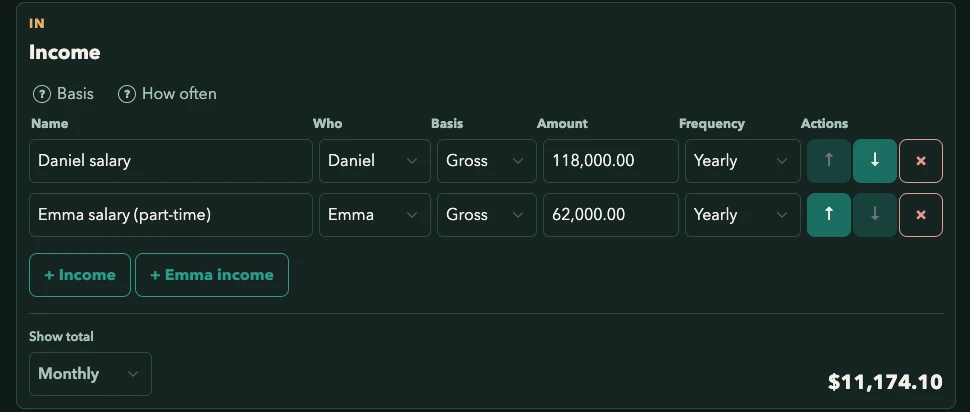
Change a number in one place and Tax, Plan and Roadmap update. Nothing is typed twice.
Try a purchase or an extra contribution and see the effect before you commit.
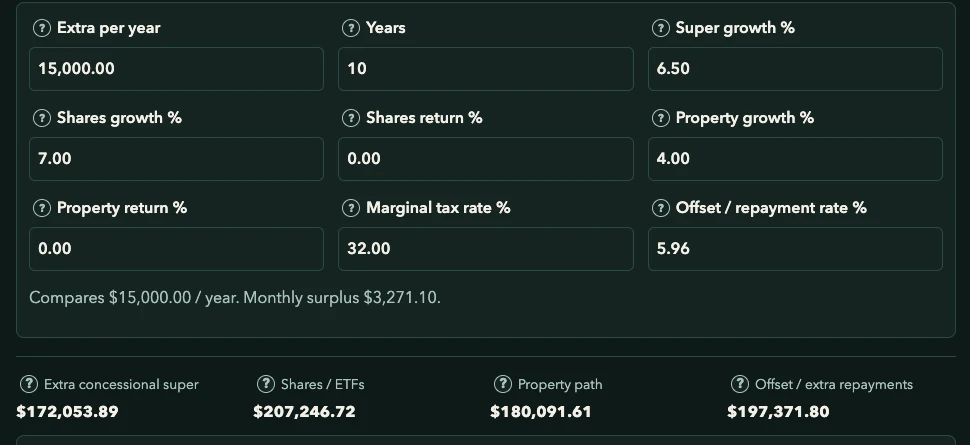
Screens show an example household, not real data.
Private by design
Typing numbers in takes a little longer than linking a bank. In return, the plan runs on the figures you choose and nobody gets access to your accounts.
Read the privacy policyPricing
Free to start
or A$12 a month, including GST
or A$29 a month, including GST
Prices are in Australian dollars and include GST. Cancel any time from Account settings.
Questions
No. NetPosition uses the figures you choose to enter. We never collect bank credentials, transaction feeds, or your TFN.
Income, spending, super and any properties. Everything is optional and saves as you go, so start with what you have.
No. These are educational models using published rates. Nothing here is a loan offer, a tax return or personal advice. Check the ATO or a registered tax agent before you act.
Published 2026–27 resident income tax rates, the Medicare levy and surcharge, HELP repayments and, on Expert, super contributions with Division 293 and 296 tax.
Free covers Home, Budget, Tax, Wealth, Charts, Targets and one property. Pro adds up to three properties, offset and holding costs, portfolio totals and Journey snapshots. Expert adds unlimited properties, partner household, super contributions and Division 293/296 tax, and Borrow, Plan, Roadmap and Decisions.
After 30 days of Expert you keep Pro until day 60, then move to the Free plan unless you subscribe. We do not take a card at signup, so nothing is charged automatically.
Yes. Partner household is part of Expert: a second income, tax estimate and super alongside yours.
Yes. Delete your account yourself from Account settings. That also cancels any subscription. The Privacy page explains what is kept afterwards, such as billing records.
Yes. Manage or cancel from the Stripe billing portal in Account settings.
NetPosition is an educational tool, not financial advice, a loan offer or a tax return.